
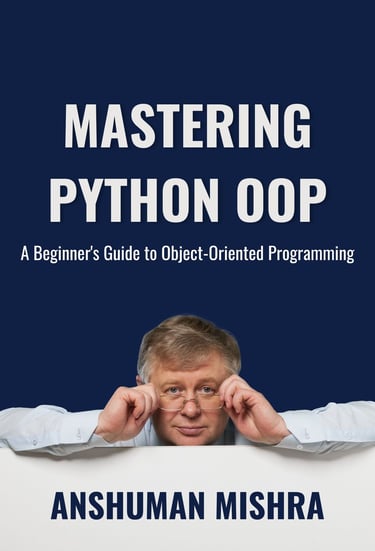
Python OOP Mastery – From Beginner to Advanced (Complete 2026 Guide)
If you're seeing this book's cover or link pointing to Amazon.com (USA marketplace)
Table of ContentsPython OOP Mastery – From Beginner to Advanced (Complete 2026 Guide) Learn Classes, Inheritance, Polymorphism, Decorators, Metaclasses and Real-World Projects in Simple Steps
👈 PREVIOUS ADVANCED PYTHON PROGRAMMING NEXT DATA SCIENCE WITH PYTHON 👉
TABLE OF CONTENTS
Introduction to Object-Oriented Programming (OOP) 1.1 What is OOP and Why Learn It? 1.2 Real-World Examples – Class vs Object 1.3 The 4 Pillars of OOP in Python (Abstraction, Encapsulation, Inheritance, Polymorphism) 1.4 Procedural vs Object-Oriented Programming – Quick Comparison
Classes and Objects – Basic Building Blocks 2.1 Creating Classes (class keyword) 2.2 Creating Objects (Instances) 2.3 The init Method and self Parameter 2.4 Instance Variables vs Class Variables 2.5 str and repr – Beautifully Printing Objects
Encapsulation – Data Hiding and Protection 3.1 Public, Protected (_single underscore) and Private (__double underscore) Members 3.2 Name Mangling – How Python Implements “Private” 3.3 @property, @setter, @deleter – Pythonic Getter-Setter Methods
Inheritance – Reusing Code Like a Pro 4.1 Single Inheritance – Parent-Child Relationship 4.2 Using super() Correctly 4.3 Method Overriding and Polymorphism 4.4 Multiple Inheritance – Diamond Problem and Method Resolution Order (MRO)
Polymorphism – One Name, Different Behavior 5.1 Method Overriding in Detail 5.2 Operator Overloading (add, eq, lt, etc.) 5.3 Duck Typing – “If it walks like a duck…” 5.4 Abstract Base Classes (abc module)
Class Methods, Static Methods and Decorators 6.1 @classmethod – Receives Class as First Argument 6.2 @staticmethod – No self, No cls 6.3 Alternative Constructors Using @classmethod 6.4 @property as a Decorator
Advanced OOP Concepts 7.1 Composition vs Inheritance – When to Use Which 7.2 Data Classes (@dataclass) – Reduce Boilerplate Code 7.3 Magic Methods / Dunder Methods Deep Dive 7.4 Metaclasses – The Class Behind the Class (type() and Custom Metaclasses)
Real-World OOP Projects & Best Practices 8.1 Mini Project 1 – Bank Account System (Inheritance + Encapsulation) 8.2 Mini Project 2 – Library Management System (Multiple Classes) 8.3 Mini Project 3 – Employee Payroll System (Polymorphism) 8.4 OOP Best Practices – Clean Code, Naming Conventions, SOLID Principles in Python
Common Mistakes & Interview Preparation 9.1 Common Beginner Mistakes in OOP 9.2 Top 20 Python OOP Interview Questions with Answers 9.3 Debugging OOP Code – Tools and Tips
Next Steps After Mastering OOP 10.1 Design Patterns in Python (Singleton, Factory, Observer, etc.) 10.2 Advanced Use of Decorators and Context Managers 10.3 Practical OOP in FastAPI / Django 10.4 Recommended Resources – Books, YouTube Channels, Projects
1. Introduction to Object-Oriented Programming (OOP)
Object-Oriented Programming (OOP) is one of the most important programming paradigms in modern software development. Python supports OOP beautifully and uses it extensively in its own libraries and frameworks.
1.1 What is OOP and Why Learn It?
OOP is a way of writing programs by modeling real-world entities as objects that have data (attributes) and behavior (methods).
Instead of writing step-by-step instructions (like in procedural code), you create classes (blueprints) and then create objects (instances) from those blueprints.
Why Learn OOP in 2026?
Almost all modern Python libraries & frameworks use OOP (Django, FastAPI, Flask, pandas, scikit-learn, PyTorch, etc.)
Makes code more organized, reusable, maintainable, and scalable
Helps you think like a professional developer (real jobs demand OOP knowledge)
Prepares you for interviews (90%+ of Python job interviews ask OOP questions)
Lets you build complex applications (games, web apps, ML models, automation tools) easily
Simple analogy: Think of a Car as a class (blueprint). A specific car (Maruti Swift, red color, 2025 model) is an object (instance).
1.2 Real-World Examples – Class vs Object
Class = Blueprint / Template Object = Actual thing created from blueprint
Real-World ExampleClass (Blueprint)Object (Instance)CarCar design (model, color, engine)My red Swift car, your blue Honda CityMobile PhoneSmartphone blueprintiPhone 16, Samsung Galaxy S25Bank AccountAccount templateAnshuman's savings account, Rahul's current accountStudentStudent record structureAnshuman (ID: 101, marks: 92), Priya (ID: 102, marks: 98)
Code Example – Class vs Object
Python
# Class = Blueprint class Car: def init(self, brand, color, year): self.brand = brand self.color = color self.year = year def drive(self): return f"{self.color} {self.brand} is driving!" # Objects = Real cars created from blueprint car1 = Car("Maruti", "Red", 2025) # object 1 car2 = Car("Honda", "Blue", 2024) # object 2 print(car1.drive()) # Red Maruti is driving! print(car2.drive()) # Blue Honda is driving!
1.3 The 4 Pillars of OOP in Python
Python supports all four fundamental OOP principles:
Encapsulation
Bundling data (attributes) and methods (functions) together inside a class
Hiding internal details (using private/protected members)
Example: Bank account hides balance details, only allows deposit/withdraw
Inheritance
Child class inherits attributes & methods from parent class
Promotes code reuse
Example: ElectricCar inherits from Car (gets drive(), add fuel method, etc.)
Polymorphism
Same method name, different behavior in different classes
"One interface, multiple implementations"
Example: drive() in Car and Bike both exist but work differently
Abstraction
Hiding complex implementation details, showing only essential features
Achieved using abstract classes (abc module)
Example: User sees drive() button — doesn't need to know engine details
Python makes these pillars very clean and "Pythonic" (simple & readable).
1.4 Procedural vs Object-Oriented Programming – Quick Comparison
FeatureProcedural ProgrammingObject-Oriented ProgrammingCode StyleStep-by-step instructionsClasses & objects with data + behaviorOrganizationFunctions + global dataEverything inside classesReusabilityLimited (copy-paste functions)High (inheritance, composition)MaintenanceHarder for large projectsEasier (modular, encapsulated)Real-World ModelingDifficultNatural (objects represent real entities)Example LanguagesC, early Python scriptsPython, Java, C++, modern frameworksWhen to UseSmall scripts, automationMedium to large applications, frameworks
Procedural Example
Python
def calculate_area(radius): return 3.14 radius radius r = 5 area = calculate_area(r) print(area)
OOP Example (same task)
Python
class Circle: def init(self, radius): self.radius = radius def area(self): return 3.14 self.radius self.radius c = Circle(5) print(c.area())
Conclusion: OOP is not always better — use it when your program has real-world entities (users, cars, accounts, products). For small scripts → procedural is fine.
This completes the full Introduction to Object-Oriented Programming (OOP) section — perfect starting point for your Python OOP tutorial page!
2. Classes and Objects – Basic Building Blocks
Classes and objects are the foundation of Object-Oriented Programming in Python. A class is like a blueprint, and an object is the actual thing built from that blueprint.
2.1 Creating Classes (class keyword)
A class is defined using the class keyword followed by the class name (use CamelCase by convention).
Basic syntax:
Python
class ClassName: # class body (attributes and methods go here) pass
Simple example – Empty class
Python
class Car: pass # empty class (placeholder)
With a comment (good practice)
Python
class Student: """This class represents a student in school.""" pass
Naming convention (PEP 8):
Use CamelCase (CapitalizeEachWord)
Meaningful names: BankAccount, LibraryBook, EmployeeProfile
2.2 Creating Objects (Instances)
An object (or instance) is created by calling the class name like a function.
Syntax:
Python
object_name = ClassName(arguments_if_any)
Example
Python
class Car: pass # Creating objects car1 = Car() # object 1 car2 = Car() # object 2 print(car1) # <__main__.Car object at 0x...> print(car2) # different memory address print(car1 == car2) # False – different objects
Analogy: Car is the blueprint (class). car1 and car2 are two actual cars built from the same blueprint.
2.3 The init Method and self Parameter
init is a special method (constructor) that runs automatically when an object is created. It is used to initialize (set up) the object’s attributes.
self is a reference to the current object (instance). Python automatically passes it — you don’t need to send it.
Example – Initialize attributes
Python
class Car: def init(self, brand, color, year): self.brand = brand # instance attribute self.color = color self.year = year def drive(self): return f"{self.color} {self.brand} ({self.year}) is driving!" # Create objects with data car1 = Car("Maruti", "Red", 2025) car2 = Car("Honda", "Blue", 2024) print(car1.drive()) # Red Maruti (2025) is driving! print(car2.drive()) # Blue Honda (2024) is driving!
Key points about self:
self is just a convention — you can name it anything (but never do!)
First parameter of every instance method must be self
Use self.attribute to access or set instance-specific data
2.4 Instance Variables vs Class Variables
TypeDefined where?Shared by all objects?Example in codeUse caseInstance VariableInside init (with self)No – unique per objectself.brand = "Maruti"Data specific to each object (color, year)Class VariableDirectly inside class bodyYes – shared by allwheels = 4 (outside any method)Common properties for all instances
Code Example
Python
class Car: wheels = 4 # class variable (shared) def init(self, brand, color): self.brand = brand # instance variable (unique) self.color = color car1 = Car("Maruti", "Red") car2 = Car("Honda", "Blue") print(car1.wheels) # 4 print(car2.wheels) # 4 print(Car.wheels) # 4 (access via class) Car.wheels = 6 # changes for all objects print(car1.wheels) # 6 print(car2.wheels) # 6 car1.wheels = 8 # creates instance variable for car1 only print(car1.wheels) # 8 (car1 has its own) print(car2.wheels) # 6 (car2 still uses class variable)
Rule: Use class variables for constants/shared data. Use instance variables for data unique to each object.
2.5 str and repr – Beautifully Printing Objects
By default, printing an object shows memory address — not useful.
Use special methods to control how objects are printed:
str → human-readable string (used by print())
repr → developer-friendly, unambiguous (used in REPL/debugger)
Example
Python
class Car: def init(self, brand, color, year): self.brand = brand self.color = color self.year = year def str(self): return f"{self.color} {self.brand} ({self.year})" def repr(self): return f"Car(brand='{self.brand}', color='{self.color}', year={self.year})" car = Car("Maruti", "Red", 2025) print(car) # Red Maruti (2025) ← str print(repr(car)) # Car(brand='Maruti', color='Red', year=2025) ← repr
Best practice:
Always implement both
str for users/readability
repr for debugging (should ideally allow recreating the object)
Mini Summary Project – Student Class
Python
class Student: school = "XYZ International School" # class variable def init(self, name, roll_no, marks): self.name = name self.roll_no = roll_no self.marks = marks def str(self): return f"{self.name} (Roll: {self.roll_no}) - Marks: {self.marks}%" def get_grade(self): if self.marks >= 90: return "A+" elif self.marks >= 80: return "A" else: return "B or below" s1 = Student("Anshuman", 101, 92) s2 = Student("Rahul", 102, 85) print(s1) # Anshuman (Roll: 101) - Marks: 92% print(s1.school) # XYZ International School print(s1.get_grade()) # A+
This completes the full Classes and Objects – Basic Building Blocks section — the heart of OOP in Python!
3. Encapsulation – Data Hiding and Protection
Encapsulation is one of the four pillars of OOP. It means bundling data (attributes) and methods that operate on that data into a single unit (class), while restricting direct access to some of the object's internal details.
Main goals of encapsulation:
Hide internal implementation details
Protect data from accidental or invalid changes
Provide controlled access through methods (getters/setters)
Python does not enforce strict private members like Java or C++ — it follows a "we are all consenting adults" philosophy. Instead, it uses naming conventions to signal privacy.
3.1 Public, Protected (_single underscore) and Private (__double underscore) Members
Python uses naming conventions to indicate access level:
Access LevelNaming ConventionMeaning / ConventionCan be accessed from outside?ExamplePublicNormal name (no underscore)Intended to be used freely by anyoneYesself.name, self.get_info()ProtectedSingle underscore prefix"Internal use" – should not be accessed directly from outside (convention only)Technically yes, but discouragedself._balance, self._calculate_interest()PrivateDouble underscore prefixName mangling applied — strongly discourages external access (but still possible)Hard to access directlyself.__secret_pin, self.__validate()
Code Example
Python
class BankAccount: def init(self, owner, balance=0): self.owner = owner # public self._balance = balance # protected (by convention) self.__pin = 1234 # private (name mangled) def deposit(self, amount): if amount > 0: self._balance += amount print(f"Deposited ₹{amount}. New balance: ₹{self._balance}") else: print("Amount must be positive") def get_balance(self): return self._balance def internalcheck(self): # protected method print("Internal balance check...") def __validate_pin(self, pin): # private method return pin == self.__pin acc = BankAccount("Anshuman", 5000) print(acc.owner) # Anshuman (public – OK) print(acc._balance) # 5000 (protected – works but not recommended) acc.deposit(2000) # Deposited ₹2000. New balance: ₹7000 # print(acc.__pin) # AttributeError – cannot access directly
Important:
_single → "Please don't touch this unless you really know what you're doing"
__double → "Strongly discourages direct access" (but see name mangling below)
3.2 Name Mangling – How Python Implements “Private”
When you use __double_underscore prefix, Python performs name mangling — it automatically changes the attribute name to make it harder to access from outside the class.
How name mangling works:
__secret inside class BankAccount becomes BankAccount_secret
Example
Python
class BankAccount: def init(self, pin): self.__pin = pin # will be mangled to BankAccount_pin acc = BankAccount(4321) # This fails: # print(acc.__pin) # AttributeError # This works (but never do this in real code!): print(acc._BankAccount__pin) # 4321
Purpose of name mangling:
Prevents accidental name conflicts in subclasses
Strongly signals: "This is internal — don't touch it"
Still allows access if you really need it (for debugging or advanced use)
Best practice: Never access mangled names directly in normal code — use public methods instead.
3.3 @property, @setter, @deleter – Pythonic Getter-Setter Methods
Python provides a clean, elegant way to control access to attributes using properties. This lets you use attributes like normal variables, but with validation, computation, or logging behind the scenes.
Basic property example
Python
class Circle: def init(self, radius): self._radius = radius # protected storage @property def radius(self): # getter return self._radius @radius.setter def radius(self, value): # setter if value < 0: raise ValueError("Radius cannot be negative") self._radius = value @property def area(self): # read-only computed property return 3.14159 self._radius * 2 c = Circle(5) print(c.radius) # 5 ← looks like attribute, but calls getter print(c.area) # 78.53975 ← computed on the fly c.radius = 10 # calls setter # c.radius = -3 # ValueError # c.area = 100 # AttributeError – no setter defined (read-only)
With @deleter (rare but useful)
Python
class TempFile: def init(self, path): self._path = path @property def path(self): return self._path @path.deleter def path(self): print(f"Deleting temporary file: {self._path}") # os.remove(self._path) # real deletion self._path = None tf = TempFile("temp.txt") del tf.path # calls deleter → "Deleting temporary file: temp.txt"
Why use properties instead of old-style getters/setters?
Looks like normal attribute access (c.radius instead of c.get_radius())
Allows validation, computation, logging without changing interface
Backward compatible – you can start with public attribute and later add @property without breaking code
Mini Summary Project – Secure Bank Account
Python
class SecureBankAccount: def init(self, owner, initial_balance=0): self.owner = owner self._balance = initial_balance self.__pin = 1234 # private @property def balance(self): return self._balance @balance.setter def balance(self, value): raise AttributeError("Direct balance modification not allowed. Use deposit/withdraw.") def deposit(self, amount, pin): if pin != self.__pin: raise ValueError("Incorrect PIN") if amount <= 0: raise ValueError("Amount must be positive") self._balance += amount print(f"Deposited ₹{amount}. New balance: ₹{self._balance}") acc = SecureBankAccount("Anshuman", 10000) acc.deposit(5000, 1234) # success print(acc.balance) # 15000 # acc.balance = 0 # AttributeError
This completes the full Encapsulation – Data Hiding and Protection section — now you understand how to protect data while keeping code clean and Pythonic!
4. Inheritance – Reusing Code Like a Pro
Inheritance lets a child class (subclass/derived class) inherit attributes and methods from a parent class (superclass/base class). This promotes code reuse, reduces duplication, and models "is-a" relationships.
4.1 Single Inheritance – Parent-Child Relationship
Single inheritance means a child class inherits from exactly one parent class.
Basic syntax
Python
class Parent: def init(self, name): self.name = name def introduce(self): return f"Hi, I'm {self.name} (from Parent class)" class Child(Parent): # Child inherits from Parent def init(self, name, age): Parent.__init__(self, name) # call parent's init self.age = age def introduce(self): return f"Hi, I'm {self.name}, {self.age} years old (Child class)" # Create objects p = Parent("Rahul") c = Child("Anshuman", 25) print(p.introduce()) # Hi, I'm Rahul (from Parent class) print(c.introduce()) # Hi, I'm Anshuman, 25 years old (Child class) print(c.name) # Anshuman (inherited from Parent)
"is-a" relationship Child is a Parent → Child object can be used anywhere Parent is expected (polymorphism later).
4.2 Using super() Correctly
super() is the recommended way to call parent class methods — it works better with multiple inheritance and is cleaner.
Correct & modern way
Python
class Parent: def init(self, name): self.name = name print("Parent init called") class Child(Parent): def init(self, name, age): super().__init__(name) # calls Parent's init self.age = age print("Child init called") c = Child("Anshuman", 25) # Output: # Parent init called # Child init called
Benefits of super():
No hardcoding parent class name (good for multiple inheritance)
Works correctly in complex hierarchies
Cleaner and less error-prone
Old way (avoid in new code)
Python
Parent.__init__(self, name) # hardcodes parent name
Rule: Always use super() unless you have a very specific reason not to.
4.3 Method Overriding and Polymorphism
Method Overriding Child class redefines (overrides) a method from the parent class.
Polymorphism Same method name, different behavior depending on the object type. "One interface, multiple implementations"
Example
Python
class Animal: def speak(self): return "Some generic sound..." class Dog(Animal): def speak(self): return "Woof! Woof!" class Cat(Animal): def speak(self): return "Meow!" # Polymorphism in action animals = [Dog(), Cat(), Animal()] for animal in animals: print(animal.speak()) # Output: # Woof! Woof! # Meow! # Some generic sound...
Key benefit: You can write code that works with any Animal type without caring about the exact subclass.
4.4 Multiple Inheritance – Diamond Problem and Method Resolution Order (MRO)
Multiple inheritance means a class can inherit from more than one parent.
Example
Python
class Flyer: def fly(self): return "Flying high!" class Swimmer: def swim(self): return "Swimming fast!" class Duck(Flyer, Swimmer): # inherits from both def quack(self): return "Quack!" d = Duck() print(d.fly()) # Flying high! (from Flyer) print(d.swim()) # Swimming fast! (from Swimmer) print(d.quack()) # Quack!
The Diamond Problem When a class inherits from two classes that both inherit from the same grandparent — which version of the grandparent method is used?
Python
class A: def show(self): print("A") class B(A): def show(self): print("B") class C(A): def show(self): print("C") class D(B, C): # Diamond: B and C both inherit from A pass d = D() d.show() # Output: B
How Python solves it: Method Resolution Order (MRO) Python uses C3 linearization algorithm to decide the order.
Check MRO with:
Python
print(D.mro()) # [<class '__main__.D'>, <class '__main__.B'>, <class '__main__.C'>, <class '__main__.A'>, <class 'object'>]
Order: D → B → C → A → object So show() from B is used first.
Use super() in multiple inheritance
Python
class A: def show(self): print("A") class B(A): def show(self): super().show() print("B") class C(A): def show(self): super().show() print("C") class D(B, C): def show(self): super().show() print("D") d = D() d.show() # Output: # A # C # B # D
MRO ensures every parent is called exactly once in a predictable order.
Best practice for multiple inheritance:
Avoid deep/complex hierarchies
Prefer composition over multiple inheritance when possible
Always use super() — it respects MRO
Mini Summary Project – Vehicle Hierarchy
Python
class Vehicle: def init(self, brand): self.brand = brand def start(self): return f"{self.brand} engine started" class Car(Vehicle): def init(self, brand, doors=4): super().__init__(brand) self.doors = doors def start(self): return super().start() + " (car mode)" class ElectricCar(Car): def init(self, brand, battery_capacity): super().__init__(brand) self.battery_capacity = battery_capacity def start(self): return "Electric motor humming..." ec = ElectricCar("Tesla", 100) print(ec.start()) # Electric motor humming... print(ec.doors) # 4 (inherited)
This completes the full Inheritance – Reusing Code Like a Pro section — now you can build powerful class hierarchies and reuse code effectively!
5. Polymorphism – One Name, Different Behavior
Polymorphism (from Greek: "many forms") means that the same method name can behave differently depending on the object calling it. In simple words: "One interface, multiple implementations".
Python achieves polymorphism very naturally through duck typing and method overriding — no need for interfaces like in Java/C#.
5.1 Method Overriding in Detail
Method overriding is when a child class provides a specific implementation of a method that is already defined in its parent class.
The child version replaces (overrides) the parent version when called on a child object.
Example – Animal hierarchy
Python
class Animal: def speak(self): return "Some generic animal sound..." class Dog(Animal): def speak(self): return "Woof! Woof!" class Cat(Animal): def speak(self): return "Meow!" class Cow(Animal): def speak(self): return "Moo!" # Polymorphism in action animals = [Dog(), Cat(), Cow(), Animal()] for animal in animals: print(animal.speak())
Output:
text
Woof! Woof! Meow! Moo! Some generic animal sound...
Key points:
Same method name speak() — different behavior
Python decides at runtime which version to call (based on the actual object type)
This is called dynamic polymorphism (or runtime polymorphism)
When to override:
When child needs specialized behavior
When you want to extend (not completely replace) → call super()
With super()
Python
class SmartDog(Dog): def speak(self): parent_sound = super().speak() return f"{parent_sound} I'm a smart dog!"
5.2 Operator Overloading (add, eq, lt, etc.)
Operator overloading lets you define how operators (+, ==, <, etc.) work with your custom objects.
These are called dunder (double underscore) methods — also known as magic methods.
Common operators and their methods:
OperatorMethodDescriptionExample Usage+__add__Additiona + b-__sub__Subtractiona - b*__mul__Multiplicationa * b==__eq__Equality comparisona == b!=__ne__Not equala != b<__lt__Less thana < b<=__le__Less than or equala <= b>__gt__Greater thana > b>=__ge__Greater than or equala >= blen()__len__Length of objectlen(obj)str()__str__String representation (print)print(obj)repr()__repr__Developer string representationrepr(obj)
Real example – Vector class
Python
class Vector: def init(self, x, y): self.x = x self.y = y def add(self, other): return Vector(self.x + other.x, self.y + other.y) def eq(self, other): return self.x == other.x and self.y == other.y def str(self): return f"Vector({self.x}, {self.y})" v1 = Vector(2, 3) v2 = Vector(1, 4) print(v1 + v2) # Vector(3, 7) print(v1 == v2) # False
Tip: Always implement eq when you define add or similar — consistency matters.
5.3 Duck Typing – “If it walks like a duck…”
Duck typing is Python's philosophy: "If it looks like a duck, swims like a duck, and quacks like a duck, then it probably is a duck."
Instead of checking the class/type, Python checks whether the object has the required methods/attributes.
Example – Polymorphism without inheritance
Python
class Bird: def quack(self): return "Quack!" class RubberDuck: def quack(self): # no inheritance! return "Squeak!" class Person: def quack(self): return "I can quack too!" def make_it_quack(thing): print(thing.quack()) make_it_quack(Bird()) # Quack! make_it_quack(RubberDuck()) # Squeak! make_it_quack(Person()) # I can quack too!
Power of duck typing:
No need for inheritance or interfaces
Very flexible and Pythonic
Works with any object that has the required method
5.4 Abstract Base Classes (abc module)
Abstract Base Class (ABC) forces subclasses to implement certain methods — like an interface.
Use the abc module to create abstract classes.
Example – Shape hierarchy
Python
from abc import ABC, abstractmethod class Shape(ABC): @abstractmethod def area(self): """Must be implemented by all subclasses""" pass @abstractmethod def perimeter(self): pass class Rectangle(Shape): def init(self, length, width): self.length = length self.width = width def area(self): return self.length self.width def perimeter(self): return 2 (self.length + self.width) # r = Shape() # TypeError: Can't instantiate abstract class rect = Rectangle(10, 5) print(rect.area()) # 50 print(rect.perimeter()) # 30
Key points:
@abstractmethod → must be overridden in child class
Cannot create instance of abstract class
Useful for defining interfaces/contracts
Mini Summary Project – Animal Sound Simulator
Python
from abc import ABC, abstractmethod class Animal(ABC): @abstractmethod def speak(self): pass class Dog(Animal): def speak(self): return "Woof!" class Cat(Animal): def speak(self): return "Meow!" class Robot(Animal): # must implement speak() def speak(self): return "Beep boop!" animals = [Dog(), Cat(), Robot()] for a in animals: print(a.speak())
This completes the full Polymorphism – One Name, Different Behavior section — now you understand how Python achieves flexible, reusable, and elegant code through overriding, overloading, duck typing, and abstract classes!
6. Class Methods, Static Methods and Decorators
In Python, regular instance methods receive self (the instance) as the first argument. But sometimes you need methods that work with the class itself or don't need any instance/class at all. That’s where @classmethod and @staticmethod come in — both are decorators that change how a method is called.
6.1 @classmethod – Receives Class as First Argument
@classmethod makes a method receive the class (not the instance) as the first argument — conventionally named cls.
Use it when you need to work with the class itself (e.g., modifying class variables, creating alternative constructors).
Basic example
Python
class Person: species = "Homo sapiens" # class variable @classmethod def get_species(cls): return cls.species @classmethod def change_species(cls, new_species): cls.species = new_species print(Person.get_species()) # Homo sapiens Person.change_species("Homo superior") print(Person.get_species()) # Homo superior
Key points:
First parameter is cls (the class)
Can access/modify class variables
Can be called on the class or on an instance
Very useful for factory methods (alternative constructors)
6.2 @staticmethod – No self, No cls
@staticmethod creates a method that doesn’t receive self or cls — it behaves like a regular function inside the class namespace.
Use it for utility/helper functions that logically belong to the class but don’t need instance or class data.
Example
Python
class MathUtils: @staticmethod def is_even(number): return number % 2 == 0 @staticmethod def square_root(n): if n < 0: raise ValueError("Cannot calculate square root of negative number") return n ** 0.5 # Call on class print(MathUtils.is_even(10)) # True # Call on instance (still works) utils = MathUtils() print(utils.square_root(16)) # 4.0
When to use @staticmethod:
Helper functions related to the class concept
No need to access instance (self) or class (cls) data
Cleaner than putting functions outside the class
6.3 Alternative Constructors Using @classmethod
One of the most common and powerful uses of @classmethod is to create alternative constructors — ways to create objects other than the default init.
Classic example – Create object from string
Python
class Person: def init(self, name, age): self.name = name self.age = age @classmethod def from_birth_year(cls, name, birth_year): current_year = 2026 age = current_year - birth_year return cls(name, age) # calls init indirectly def str(self): return f"{self.name}, {self.age} years old" # Normal way p1 = Person("Anshuman", 25) # Alternative constructor p2 = Person.from_birth_year("Rahul", 2000) print(p2) # Rahul, 26 years old
Another real-world example – Factory from file
Python
class Config: def init(self, settings): self.settings = settings @classmethod def from_json_file(cls, filename): import json with open(filename, "r") as f: data = json.load(f) return cls(data) # Usage config = Config.from_json_file("config.json")
6.4 @property as a Decorator
@property is a built-in decorator that turns a method into a getter — so you can access it like an attribute.
Combined with @<name>.setter and @<name>.deleter, you get full control over attribute access.
Full example – Controlled access
Python
class Employee: def init(self, name, salary): self.name = name self._salary = salary # protected @property def salary(self): # getter return self._salary @salary.setter def salary(self, value): # setter if value < 0: raise ValueError("Salary cannot be negative") self._salary = value print(f"Salary updated to ₹{value}") @salary.deleter def salary(self): # deleter (rarely used) print("Salary record deleted") self._salary = 0 emp = Employee("Priya", 80000) print(emp.salary) # 80000 ← calls getter emp.salary = 95000 # calls setter → "Salary updated to ₹95000" # emp.salary = -5000 # ValueError del emp.salary # calls deleter → "Salary record deleted" print(emp.salary) # 0
Why use @property instead of get/set methods?
Cleaner syntax: emp.salary instead of emp.get_salary()
Can add logic (validation, logging, computation) later without breaking existing code
Makes class feel more like a simple data container
Mini Summary Project – Temperature Converter with Properties
Python
class Temperature: def init(self, celsius): self._celsius = celsius @property def celsius(self): return self._celsius @celsius.setter def celsius(self, value): self._celsius = value @property def fahrenheit(self): return (self._celsius 9/5) + 32 @fahrenheit.setter def fahrenheit(self, value): self._celsius = (value - 32) 5/9 temp = Temperature(25) print(temp.celsius) # 25 print(temp.fahrenheit) # 77.0 temp.fahrenheit = 98.6 print(temp.celsius) # 37.0
This completes the full Class Methods, Static Methods and Decorators section — now you know how to write flexible, reusable, and clean class-level code in Python!
7. Advanced OOP Concepts
7.1 Composition vs Inheritance – When to Use Which
Both composition and inheritance let you reuse code, but they model relationships differently.
AspectInheritance ("is-a")Composition ("has-a")Winner (most cases)RelationshipChild is a kind of ParentClass has a part/componentCompositionCode ReuseInherits all public/protected membersExplicitly includes other classes as attributes—FlexibilityFixed hierarchy (hard to change later)Very flexible (can swap components)CompositionTight CouplingHigh (child depends heavily on parent)Low (loose coupling)CompositionWhen to preferClear "is-a" hierarchy (Dog is an Animal)"has-a" or "uses-a" (Car has an Engine)—Fragile base classCommon problem (changing parent breaks children)RareCompositionMultiple parentsSupported (but complex MRO)Multiple components easilyComposition
Inheritance Example
Python
class Engine: def start(self): return "Engine started" class Car(Engine): # Car is an Engine? (not really good modeling) def drive(self): return self.start() + " → Car moving"
Composition Example (preferred)
Python
class Engine: def start(self): return "Engine started" class Car: def init(self): self.engine = Engine() # Car has an Engine def drive(self): return self.engine.start() + " → Car moving" car = Car() print(car.drive()) # Engine started → Car moving
Golden Rule (2026 best practice): "Favor composition over inheritance" Use inheritance only when there is a clear, stable "is-a" relationship and you truly want to inherit behavior. Use composition for most other cases — it's more flexible, testable, and maintainable.
7.2 Data Classes (@dataclass) – Reduce Boilerplate Code
Introduced in Python 3.7, @dataclass automatically adds init, repr, eq, and more — reducing repetitive code.
Basic usage
Python
from dataclasses import dataclass @dataclass class Person: name: str age: int = 0 city: str = "Unknown" p = Person("Anshuman", 25, "Muzaffarpur") print(p) # Person(name='Anshuman', age=25, city='Muzaffarpur') print(p == Person("Anshuman", 25, "Muzaffarpur")) # True (auto eq)
Advanced options
Python
@dataclass(frozen=True) # immutable (like namedtuple) class Point: x: float y: float @dataclass(order=True) # adds <, >, <=, >= comparison class Student: name: str marks: int s1 = Student("Rahul", 85) s2 = Student("Priya", 92) print(s1 < s2) # True (compares marks)
With default factory (mutable defaults safe)
Python
from dataclasses import dataclass, field @dataclass class Team: name: str players: list[str] = field(default_factory=list) # new list each time t = Team("India") t.players.append("Virat") print(t.players) # ['Virat']
Benefits over normal class:
No need to write init, repr, eq manually
Type hints are used for clarity and tools (mypy)
Safer mutable defaults with field(default_factory=...)
7.3 Magic Methods / Dunder Methods Deep Dive
Dunder methods (double underscore) let you customize object behavior.
Most useful ones (beyond init, str, repr):
MethodPurposeExample Use Case__len__len(obj)len(my_vector)__getitem__obj[index]Custom list/dict-like classes__setitem__obj[index] = valueMutable custom containers__iter__for x in objMake class iterable__next__next(obj)Custom iterator__call__obj()Functor / callable object__enter__ / exitwith obj: ...Context manager__bool__if obj: ...Truth value testing__hash__hash(obj)Use as dict key (must implement with eq)__slots__Memory optimizationReduce memory for many instances
Example – Custom Vector with operators
Python
class Vector: def init(self, x, y): self.x = x self.y = y def add(self, other): return Vector(self.x + other.x, self.y + other.y) def len(self): return 2 def getitem(self, index): return (self.x, self.y)[index] def str(self): return f"Vector({self.x}, {self.y})" v1 = Vector(3, 4) v2 = Vector(1, 2) print(v1 + v2) # Vector(4, 6) print(len(v1)) # 2 print(v1[0]) # 3
7.4 Metaclasses – The Class Behind the Class (type() and Custom Metaclasses)
A metaclass is the class of a class — it controls how classes are created.
Default metaclass = type
Python
class MyClass: pass print(type(MyClass)) # <class 'type'>
Creating class dynamically with type()
Python
def hello(self): return "Hello from dynamic class!" DynamicClass = type( "DynamicClass", (object,), {"hello": hello, "value": 42} ) obj = DynamicClass() print(obj.hello()) # Hello from dynamic class! print(obj.value) # 42
Custom metaclass example – Auto-add docstring check
Python
class RequireDocstringMeta(type): def new(cls, name, bases, attrs): for attr_name, value in attrs.items(): if callable(value) and not attr_name.startswith("_"): if not value.__doc__: raise TypeError(f"Method {name}.{attr_name} needs docstring!") return super().__new__(cls, name, bases, attrs) class MyService(metaclass=RequireDocstringMeta): def process(self): """This has docstring – OK""" pass # def invalid(self): # TypeError if uncommented # pass
Real-world use cases of metaclasses:
Django models (auto-creates database mapping)
SQLAlchemy declarative base
Auto-registration of plugins/commands
Enforcing class standards (docstrings, naming)
Important advice (2026): Metaclasses are very powerful but make code harder to understand. Use them only when simpler solutions (decorators, __init_subclass__, class decorators) are not enough.
Mini Summary Project – Singleton via Metaclass
Python
class SingletonMeta(type): instances = {} def _call__(cls, args, *kwargs): if cls not in cls._instances: cls._instances[cls] = super().__call__(*args, **kwargs) return cls._instances[cls] class Database(metaclass=SingletonMeta): def connect(self): print("Connected to database") db1 = Database() db2 = Database() print(db1 is db2) # True – same instance
This completes the full Advanced OOP Concepts section — now you understand composition, data classes, dunder methods, and even metaclasses!
8. Real-World OOP Projects & Best Practices
8.1 Mini Project 1 – Bank Account System (Inheritance + Encapsulation)
Goal: Build a secure bank account system with different account types using inheritance and encapsulation.
Python
from abc import ABC, abstractmethod class BankAccount(ABC): def init(self, account_holder, account_number, initial_balance=0.0): self.account_holder = account_holder self.account_number = account_number self._balance = initial_balance # protected self.__transactions = [] # private @property def balance(self): return self._balance def deposit(self, amount): if amount <= 0: raise ValueError("Deposit amount must be positive") self._balance += amount self.__transactions.append(f"Deposit: +₹{amount}") print(f"Deposited ₹{amount}. New balance: ₹{self._balance}") @abstractmethod def withdraw(self, amount): pass def get_transaction_history(self): return self.__transactions.copy() # safe copy class SavingsAccount(BankAccount): INTEREST_RATE = 0.04 # 4% annual interest def withdraw(self, amount): if amount > self._balance: raise ValueError("Insufficient balance") self._balance -= amount self.__transactions.append(f"Withdrawal: -₹{amount}") print(f"Withdrew ₹{amount}. New balance: ₹{self._balance}") def add_interest(self): interest = self._balance * SavingsAccount.INTEREST_RATE self._balance += interest self.__transactions.append(f"Interest added: +₹{interest:.2f}") print(f"Interest added: ₹{interest:.2f}") # Usage acc = SavingsAccount("Anshuman", "SB123456", 10000) acc.deposit(5000) acc.withdraw(2000) acc.add_interest() print("Balance:", acc.balance) print("History:", acc.get_transaction_history())
Output example:
text
Deposited ₹5000. New balance: ₹15000 Withdrew ₹2000. New balance: ₹13000 Interest added: ₹520.00 Balance: 13520.0 History: ['Deposit: +₹5000', 'Withdrawal: -₹2000', 'Interest added: +₹520.00']
Key concepts used: Abstract base class, encapsulation (_balance, __transactions), properties, inheritance.
8.2 Mini Project 2 – Library Management System (Multiple Classes)
Goal: Model a library with books, members, and borrowing logic.
Python
class Book: def init(self, title, author, isbn): self.title = title self.author = author self.isbn = isbn self.is_available = True def str(self): return f"{self.title} by {self.author} (ISBN: {self.isbn})" class LibraryMember: def init(self, name, member_id): self.name = name self.member_id = member_id self.borrowed_books = [] def borrow_book(self, book): if book.is_available: book.is_available = False self.borrowed_books.append(book) print(f"{self.name} borrowed {book.title}") else: print(f"{book.title} is not available") def return_book(self, book): if book in self.borrowed_books: book.is_available = True self.borrowed_books.remove(book) print(f"{self.name} returned {book.title}") else: print("You didn't borrow this book") class Library: def init(self, name): self.name = name self.books = [] self.members = [] def add_book(self, book): self.books.append(book) print(f"Added book: {book}") def register_member(self, member): self.members.append(member) print(f"Registered member: {member.name}") def find_book(self, title): for book in self.books: if title.lower() in book.title.lower(): return book return None # Usage lib = Library("City Central Library") book1 = Book("Python Mastery", "Anshuman", "ISBN123") book2 = Book("Clean Code", "Robert C. Martin", "ISBN456") lib.add_book(book1) lib.add_book(book2) member = LibraryMember("Rahul", "M001") lib.register_member(member) member.borrow_book(book1) member.borrow_book(book2) member.return_book(book1)
Key concepts used: Multiple classes, composition (Library has Books and Members), encapsulation, clean interfaces.
8.3 Mini Project 3 – Employee Payroll System (Polymorphism)
Goal: Calculate salary for different employee types using polymorphism.
Python
from abc import ABC, abstractmethod class Employee(ABC): def init(self, name, employee_id): self.name = name self.employee_id = employee_id @abstractmethod def calculate_salary(self): pass def str(self): return f"{self.name} (ID: {self.employee_id})" class FullTimeEmployee(Employee): def init(self, name, employee_id, base_salary): super().__init__(name, employee_id) self.base_salary = base_salary def calculate_salary(self): return self.base_salary + 5000 # bonus class PartTimeEmployee(Employee): def init(self, name, employee_id, hourly_rate, hours_worked): super().__init__(name, employee_id) self.hourly_rate = hourly_rate self.hours_worked = hours_worked def calculate_salary(self): return self.hourly_rate self.hours_worked class ContractEmployee(Employee): def init(self, name, employee_id, project_fee): super().__init__(name, employee_id) self.project_fee = project_fee def calculate_salary(self): return self.project_fee 0.9 # 10% tax deduction # Payroll processing (polymorphism) employees = [ FullTimeEmployee("Anshuman", "FT001", 80000), PartTimeEmployee("Priya", "PT001", 500, 120), ContractEmployee("Rahul", "CT001", 150000) ] print("Payroll Report:") for emp in employees: salary = emp.calculate_salary() print(f"{emp} → Salary: ₹{salary:.2f}")
Output example:
text
Payroll Report: Anshuman (ID: FT001) → Salary: ₹85000.00 Priya (ID: PT001) → Salary: ₹60000.00 Rahul (ID: CT001) → Salary: ₹135000.00
Key concepts used: Abstract base class, polymorphism (different calculate_salary), inheritance.
8.4 OOP Best Practices – Clean Code, Naming Conventions, SOLID Principles in Python
Clean Code & Naming (PEP 8 + Pythonic style)
Use snake_case for variables/methods: calculate_salary, get_full_name
Use CamelCase for classes: BankAccount, LibraryMember
Method names: verbs (deposit, withdraw, calculate_salary)
Variables: nouns/adjectives (account_balance, is_active)
Keep methods short (< 20–30 lines)
One responsibility per method/class
SOLID Principles (adapted for Python)
Single Responsibility Principle A class should have only one reason to change. → One class = one job (e.g., BankAccount handles balance, not printing statements)
Open/Closed Principle Open for extension, closed for modification. → Use inheritance + polymorphism, decorators, strategy pattern
Liskov Substitution Principle Subclasses should be substitutable for their base classes. → Child objects must behave correctly when used as parent
Interface Segregation Principle Clients shouldn’t depend on methods they don’t use. → Prefer small, focused interfaces (abc classes)
Dependency Inversion Principle Depend on abstractions, not concretions. → Use dependency injection (pass objects via constructor)
Pythonic Tips
Prefer composition over deep inheritance
Use @dataclass for data-heavy classes
Use properties for controlled attributes
Follow PEP 8 → use Black, isort, flake8, mypy
Write docstrings (PEP 257) and type hints
Final Advice: Write small, testable classes. Use inheritance sparingly. Favor readability and simplicity.
This completes the full Real-World OOP Projects & Best Practices section — now you can confidently build professional, maintainable OOP systems in Python!
9. Common Mistakes & Interview Preparation
9.1 Common Beginner Mistakes in OOP
Many beginners make these mistakes — recognizing and fixing them early will make your code much better.
Using global variables instead of instance/class variables Mistake: Declaring data outside class and accessing via global Fix: Always keep data inside class (instance or class variables)
Forgetting self in method definitions Mistake: def get_name(): instead of def get_name(self): Fix: First parameter of instance methods must be self
Modifying class variables via instance Mistake: obj.class_var = 10 (creates instance variable instead) Fix: Modify class variables only via class name (ClassName.class_var = 10)
Not using super() properly in inheritance Mistake: Hardcoding parent class name → breaks in multiple inheritance Fix: Always use super().__init__() or super().method()
Directly accessing private attributes (__var) Mistake: obj._Class__private Fix: Use public methods/properties — respect encapsulation
Mutable default arguments Mistake:
Python
def add_item(item, items=[]): # dangerous! items.append(item) return items
Fix:
Python
def add_item(item, items=None): if items is None: items = [] items.append(item) return items
Overusing inheritance (deep hierarchies) Mistake: Creating 5+ levels of inheritance Fix: Prefer composition (has-a) over inheritance (is-a)
Not implementing str / repr Mistake: Printing objects shows memory address Fix: Always add meaningful str and repr
Ignoring type hints and docstrings Fix: Use type hints + docstrings for clarity and tools (mypy)
Not using @property when needed Fix: Use properties for computed/validated attributes
9.2 Top 20 Python OOP Interview Questions with Answers
Here are the most frequently asked OOP questions in Python interviews (2026).
What is OOP and what are its 4 main pillars? Answer: OOP is a paradigm that uses objects/classes to model real-world entities. Pillars: Encapsulation, Inheritance, Polymorphism, Abstraction.
What is the difference between a class and an object? Answer: Class is blueprint/template. Object is instance created from class.
Explain self in Python. Answer: self is reference to current instance. First parameter of instance methods (convention).
What is init method? Answer: Constructor — called automatically when object is created. Initializes instance variables.
Difference between instance variable and class variable? Answer: Instance → unique per object (self.var). Class → shared by all objects (Class.var).
What is method overriding? Answer: Child class redefines parent method with same name/signature.
What is method overloading in Python? Answer: Python does not support traditional method overloading (same name, different parameters). Use default arguments or args/*kwargs.
Explain str vs repr? Answer: str → human-readable (used by print). repr → unambiguous, developer-friendly (used in REPL/debugger).
What is inheritance? Types in Python? Answer: Child inherits from parent. Types: single, multiple, multilevel, hierarchical.
What is super() and why use it? Answer: Calls parent class method. Preferred over hardcoding parent name — works in multiple inheritance.
Explain multiple inheritance and MRO. Answer: Class inherits from multiple parents. MRO (Method Resolution Order) decides search order using C3 linearization.
What is polymorphism in Python? Answer: Same method name, different behavior. Achieved via overriding + duck typing.
What is duck typing? Answer: "If it walks like a duck..." — type is determined by presence of methods, not class inheritance.
Explain encapsulation in Python. Answer: Bundling data + methods + restricting access. Use (protected), _ (private/name mangling).
How does Python implement private members? Answer: Name mangling — __var becomes ClassName_var. Not truly private — convention + discouragement.
What is @property decorator? Answer: Turns method into getter. Use with @<name>.setter and @<name>.deleter for full control.
Difference between @classmethod and @staticmethod? Answer: @classmethod gets cls (class). @staticmethod gets nothing — regular function in class namespace.
What is @dataclass and its advantages? Answer: Decorator (3.7+) auto-generates init, repr, eq, etc. Reduces boilerplate.
Explain operator overloading. Answer: Defining dunder methods (__add__, eq, etc.) to customize operators for custom classes.
What are metaclasses? When to use them? Answer: Class of a class (type is default). Used to customize class creation (auto-registration, enforcement). Rare in app code — common in frameworks.
9.3 Debugging OOP Code – Tools and Tips
Common OOP debugging issues:
AttributeError (forgot self.)
Wrong MRO in multiple inheritance
Mutable default arguments
Unexpected behavior after overriding
Name conflicts in subclasses
Tools & Techniques (2026 standard):
VS Code Debugger
Set breakpoints in init, methods
Watch self, class variables
Step into/over/out
print() & logging
Python
import logging logging.basicConfig(level=logging.DEBUG) logging.debug(f"self.balance = {self._balance}")
pdb (built-in debugger)
Python
import pdb; pdb.set_trace() # breakpoint
ipdb (better pdb)
Bash
pip install ipdb import ipdb; ipdb.set_trace()
mypy (static type checker)
Bash
mypy your_file.py
Catches attribute typos, wrong types
pytest + mocking Test individual methods with unittest.mock
dir() & vars() for inspection
Python
print(dir(obj)) # all attributes/methods print(vars(obj)) # instance variables as dict
dict & class
Python
print(obj.__dict__) # instance attributes print(obj.__class__) # class of object
Quick Debugging Checklist:
Check self is used correctly
Verify inheritance chain with ClassName.mro()
Print type(self) inside methods
Use super() properly
Test with small objects first
This completes the full Common Mistakes & Interview Preparation section — now you're ready to avoid pitfalls and confidently face OOP interviews!
10. Next Steps After Mastering OOP
Congratulations! 🎉 You’ve now mastered the core of Object-Oriented Programming in Python — from classes & objects to inheritance, polymorphism, encapsulation, properties, data classes, and even metaclasses. Now it’s time to go beyond theory and apply these concepts in real projects, modern frameworks, and advanced patterns.
10.1 Design Patterns in Python (Singleton, Factory, Observer, etc.)
Design patterns are reusable solutions to common software design problems. Python’s dynamic nature makes many classic patterns simpler or unnecessary.
Most useful patterns in Python (2026):
Singleton (ensure only one instance)
Pythonic way: Use a module or @singleton decorator (avoid complex metaclasses)
Python
class Singleton: instance = None def _new__(cls, args, *kwargs): if cls._instance is None: cls._instance = super().__new__(cls, args, *kwargs) return cls._instance
Factory / Abstract Factory (create objects without specifying exact class)
Pythonic: Simple functions returning objects
Python
def create_button(os_type): if os_type == "windows": return WindowsButton() return MacButton()
Observer (one-to-many dependency — publish-subscribe)
Pythonic: Use callbacks or blinker library
Python
class Subject: def init(self): self._observers = [] def attach(self, observer): self._observers.append(observer) def notify(self, message): for obs in self._observers: obs.update(message)
Strategy (interchangeable algorithms)
Pythonic: Pass functions as arguments
Python
def discount_strategy(price): return price * 0.9
Decorator (add behavior dynamically)
Python already has @decorator syntax — use heavily!
Best practice (2026): Favor simple functions, decorators, composition, and duck typing over heavy class hierarchies. Only use classic patterns when they clearly solve your problem.
10.2 Advanced Use of Decorators and Context Managers
You already know basic decorators — now see how they shine with OOP.
Class decorator example – Auto-register commands
Python
registry = {} def register_command(cls): registry[cls.__name__.lower()] = cls return cls @register_command class HelpCommand: @classmethod def execute(cls): print("Available commands:", list(registry.keys()))
Context manager with OOP
Python
from contextlib import contextmanager class DatabaseConnection: def init(self, db_url): self.db_url = db_url self.connection = None def enter(self): print(f"Connecting to {self.db_url}") self.connection = "Connected" return self.connection def exit(self, exc_type, exc_val, exc_tb): print("Closing connection") self.connection = None with DatabaseConnection("mysql://localhost") as conn: print(conn) # Connected
Advanced decorator – Timing + Logging
Python
import time from functools import wraps def timed_log(func): @wraps(func) def wrapper(*args, **kwargs): start = time.perf_counter() print(f"Calling {func.__name__}") result = func(*args, **kwargs) elapsed = time.perf_counter() - start print(f"{func.__name__} finished in {elapsed:.4f}s") return result return wrapper class Calculator: @timed_log def add(self, a, b): return a + b
10.3 Practical OOP in FastAPI / Django
FastAPI + OOP (modern API development)
Python
from fastapi import FastAPI, HTTPException from pydantic import BaseModel from typing import List app = FastAPI() class Item(BaseModel): name: str price: float quantity: int = 0 class Inventory: def init(self): self.items: List[Item] = [] def add_item(self, item: Item): self.items.append(item) def get_item(self, name: str) -> Item: for item in self.items: if item.name == name: return item raise HTTPException(status_code=404, detail="Item not found") inventory = Inventory() # Singleton-like instance @app.post("/items/") def create_item(item: Item): inventory.add_item(item) return {"message": "Item added", "item": item} @app.get("/items/{name}") def read_item(name: str): return inventory.get_item(name)
Django Models (classic ORM + OOP)
Python
# models.py from django.db import models class Book(models.Model): title = models.CharField(max_length=200) author = models.CharField(max_length=100) published_date = models.DateField() price = models.DecimalField(max_digits=8, decimal_places=2) class Meta: ordering = ['-published_date'] def str(self): return f"{self.title} by {self.author}" @property def is_recent(self): return self.published_date.year >= 2025
Key takeaway: OOP shines in frameworks — models, services, repositories, dependency injection, etc.
10.4 Recommended Resources – Books, YouTube Channels, Projects
Best Books (2026):
Fluent Python (2nd Edition) – Luciano Ramalho → Deep Python + OOP mastery
Effective Python (2nd Edition) – Brett Slatkin → 90 best practices
Python Cookbook (3rd Edition) – David Beazley → Advanced recipes
Clean Code (adapted to Python) – Robert C. Martin concepts
Head First Design Patterns → Visual & fun explanation
Top YouTube Channels:
Corey Schafer (best OOP & Python series)
ArjanCodes (clean code, design patterns, refactoring)
mCoding (advanced Python features)
freeCodeCamp.org (full OOP courses)
Tech With Tim (practical projects)
Project Ideas to Build After OOP:
Inventory Management System (CLI + OOP)
E-commerce Cart & Checkout (classes for Product, Cart, Payment)
Task Manager / To-Do App (with persistence)
Simple Game (e.g., Tic-Tac-Toe with classes for Board, Player)
REST API with FastAPI (models, services, dependency injection)
Blog Platform (Django or Flask + OOP structure)
Final Words from Anshuman’s Tutorial: OOP is not about using classes everywhere — it’s about modeling your problem domain clearly. Start small, build real projects, write tests, refactor often, and read other people’s code. You are now ready to create clean, scalable, professional Python applications!
This completes your full Python OOP Mastery tutorial — from introduction to advanced concepts and real-world application!
If you want any section revised, expanded, or help with HTML/CSS formatting for your webpage, just tell me.
👈 PREVIOUS ADVANCED PYTHON PROGRAMMING NEXT DATA SCIENCE WITH PYTHON 👉

Free Reading Alert! All my books are FREE on Kindle Unlimited or eBooks just ₹145!
Check now: https://www.amazon.in/stores/Anshuman-Mishra/author/B0DQVNPL7P
Start reading! 🚀
फ्री रीडिंग का मौका! मेरी सारी किताबें Kindle Unlimited में FREE या ईबुक सिर्फ ₹145 में!
अभी देखें: https://www.amazon.in/stores/Anshuman-Mishra/author/B0DQVNPL7P पढ़ना शुरू करें! 🚀🚀





These Python notes made complex concepts feel simple and clear.
Amy K.




★★★★★
ibm.anshuman@gmail.com
© 2026 CodeForge AI | Privacy Policy |Terms of Service | Contact | Disclaimer | 1000 university college list